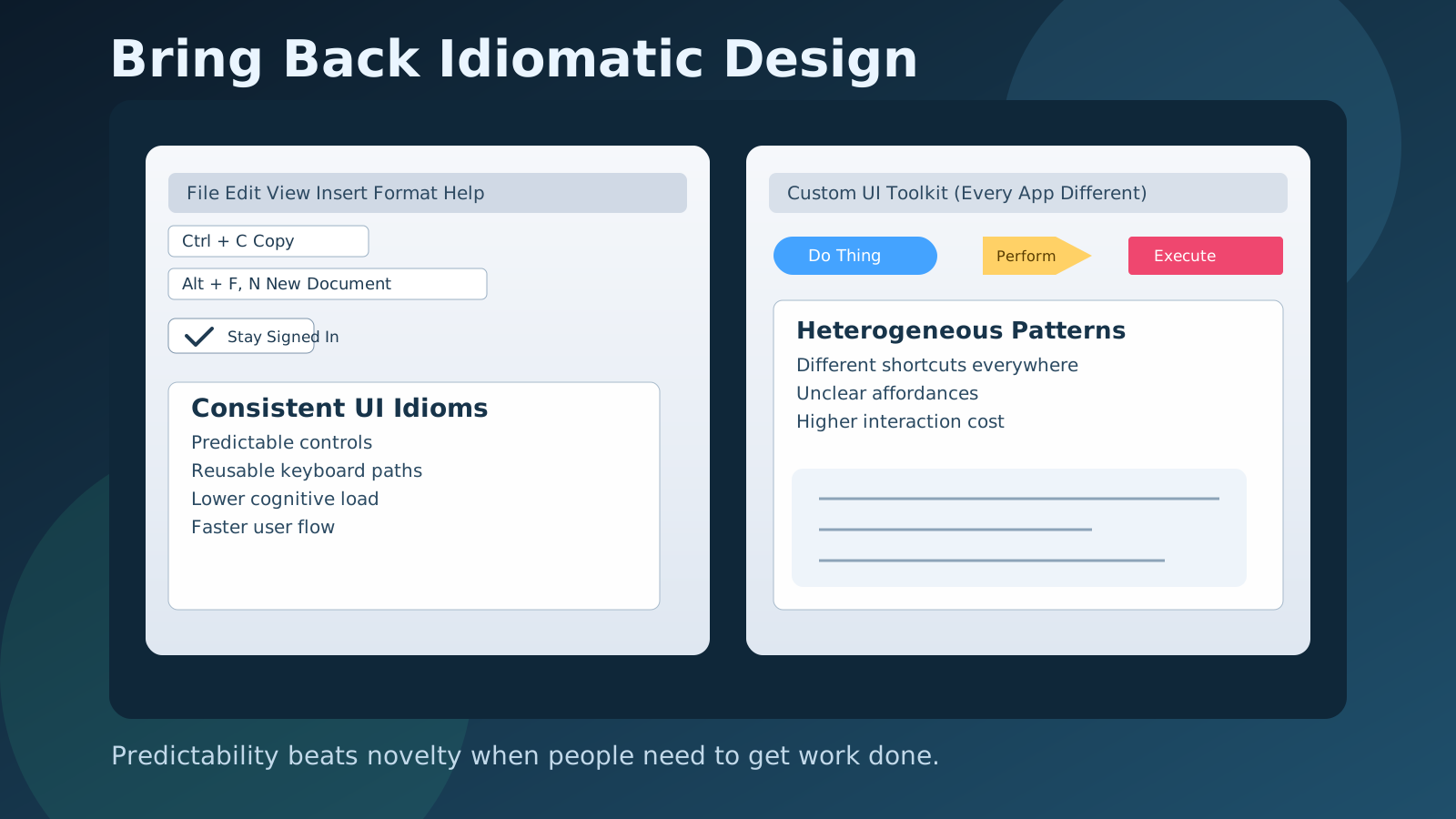
Bring Back Idiomatic Design: Why Consistent Interfaces Still Win
Modern software is powerful, fast, and visually polished. It is also exhausting.
You open one app and dates are selected from a compact calendar popover. In the next app, date selection is a wheel. In a third, it is a freeform text field with hidden formatting rules. Credit card forms, keyboard shortcuts, sidebar behavior, back-button behavior, even basic button styles: everything shifts from product to product.
The industry has normalized this as creativity. In practice, it often behaves like friction.
The older desktop era had many flaws, but it got one thing deeply right: interface idioms. That is the core idea worth recovering.
What “idiomatic” design means
An interface idiom is a shared interaction pattern that users and builders both recognize immediately.
A checkbox for a persistent yes/no preference is an idiom. A conventional File/Edit/View menu structure is an idiom. Underlined access keys in menus were idioms. A visibly clickable link that looks like a link is an idiom.
Idioms are valuable because they reduce interpretation cost. People do not need to stop and decode your interface before taking action. They can execute from memory.
That matters more than aesthetics. The best interface is often the one that lets users stay in flow with minimum thought about the interface itself.
Homogeneous interfaces create compounding leverage
When interaction patterns are homogeneous, learning transfers.
A user who learns one product can operate another product faster. A team that internalizes one set of behaviors can onboard new tools with less training. Power users gain speed through predictable shortcuts. Accessibility tools benefit when semantics and interaction contracts are stable.
This transfer effect is huge. It is one of the most underappreciated multipliers in product design.
In heterogeneous UI ecosystems, that multiplier collapses. Every app becomes a fresh puzzle. Users spend time hunting controls instead of completing tasks.
Why desktop software felt easier to operate
Classic desktop software had visible constraints and shared system-level conventions. Those constraints were not a burden; they were scaffolding.
Across many applications, you could expect:
- Consistent command structure and command naming
- Keyboard-first navigation paths that were discoverable
- Controls that looked like controls
- Status information in predictable places
- Clear textual labels for actions
Even when visual design was plain or dated, operational clarity was high. Users could infer behavior quickly, and experts could become very fast.
This consistency was partly cultural and partly technical. Operating systems, SDKs, and platform guidance pushed teams toward similar interaction models.
Why the web became less idiomatic
The current browser era pulled design in the opposite direction. Two structural forces explain much of the drift.
1. The mobile transition rewired priorities
Touch interfaces changed gesture models, affordances, and layout assumptions. Products now optimize across mouse, keyboard, touch, tablet, and phone form factors simultaneously.
Many teams landed in compromise patterns that work “well enough” everywhere and feel ideal nowhere. Mobile-first navigation conventions often leak into desktop contexts where they reduce efficiency.
2. Tooling made custom behavior cheap
Modern frontend stacks make it easy to ship bespoke interactions quickly. Component ecosystems encourage reuse, but they also fragment interaction language when every design system defines its own primitives, states, and edge cases.
At the same time, teams increasingly build app-like browser experiences that stretch past the original document-centric web model. That enables impressive capabilities, but it also makes default browser idioms easy to bypass.
The result is familiar: polished local design, inconsistent global behavior.
Local excellence does not solve ecosystem friction
Some modern products are individually excellent. The problem is not that teams cannot design well. The problem is that excellent local decisions can still create poor cross-product ergonomics.
A company can ship a beautifully coherent internal design system and still add net cognitive load to the broader ecosystem if its interaction language differs from what users already know.
From the user’s perspective, switching contexts remains expensive.
Why consistency still matters for speed, trust, and accessibility
A consistent interface style improves more than comfort.
- Speed: predictable controls reduce decision latency
- Reliability: users make fewer mistakes when behavior is expected
- Trust: familiar affordances reduce anxiety and hesitation
- Accessibility: semantic, standard controls integrate better with assistive tech
- Support cost: fewer “where is X?” tickets and lower onboarding overhead
Consistency is not anti-innovation. It is how useful innovations become broadly usable.
The strongest modern counterexample: platform idioms done well
The most successful platforms still enforce recognizable conventions.
Apple is a clear example: strong defaults, opinionated interaction patterns, and high consistency across first-party experiences. This does not mean every app is identical. It means users can carry expectations from one context to another with high confidence.
That predictability is a major reason platform experiences feel dependable.
The lesson: constraints can create quality. Not all freedom is productive.
A practical playbook for product teams
If you build software, you do not need to recreate a 2002 desktop UI. You need to recover the discipline that made those interfaces learnable.
Use these operating rules:
- Prefer native semantic elements before custom abstractions.
- Preserve browser and OS conventions unless there is a strong, testable reason to diverge.
- Keep navigation and URL behavior predictable; users should not lose orientation.
- Make keyboard interaction first-class, not an afterthought.
- Favor explicit labels over ambiguous icon-only controls.
- Ensure interactive elements look interactive in all states.
- Optimize for comprehensibility before visual novelty.
- If you must deviate from common idioms, enforce rigorous internal consistency.
These rules sound conservative. In practice, they accelerate execution because they reduce unnecessary design debates and interaction bugs.
Where to innovate (and where not to)
Innovation belongs in workflows, capabilities, performance, and collaboration models.
It does not need to live in every micro-interaction.
Reinventing copy, save, navigation, date input, selection states, and button semantics rarely creates differentiated value. It usually creates re-learning tax.
A good bar: if changing the pattern forces users to think harder without delivering a clear capability gain, do not ship it.
The long game: convergence beats endless novelty
Software design is still young relative to other engineered systems. We are unlikely to converge overnight on one best date picker or one best project sidebar model.
But convergence should be an explicit goal.
As patterns mature, teams should retire experimental interaction forms that do not outperform established idioms. The ecosystem gets better when successful conventions are reused, not endlessly reset.
A future of stable, transferable interaction patterns is not boring. It is professional.
Bottom line
Modern software does not need less ambition. It needs fewer arbitrary interaction dialects.
Bringing back idiomatic design means restoring a simple contract: users should be able to predict how software works before they click.
That contract reduces friction, improves accessibility, and compounds productivity across the entire stack of tools people use every day.
Design systems should not only make products look consistent. They should make digital work feel consistent.