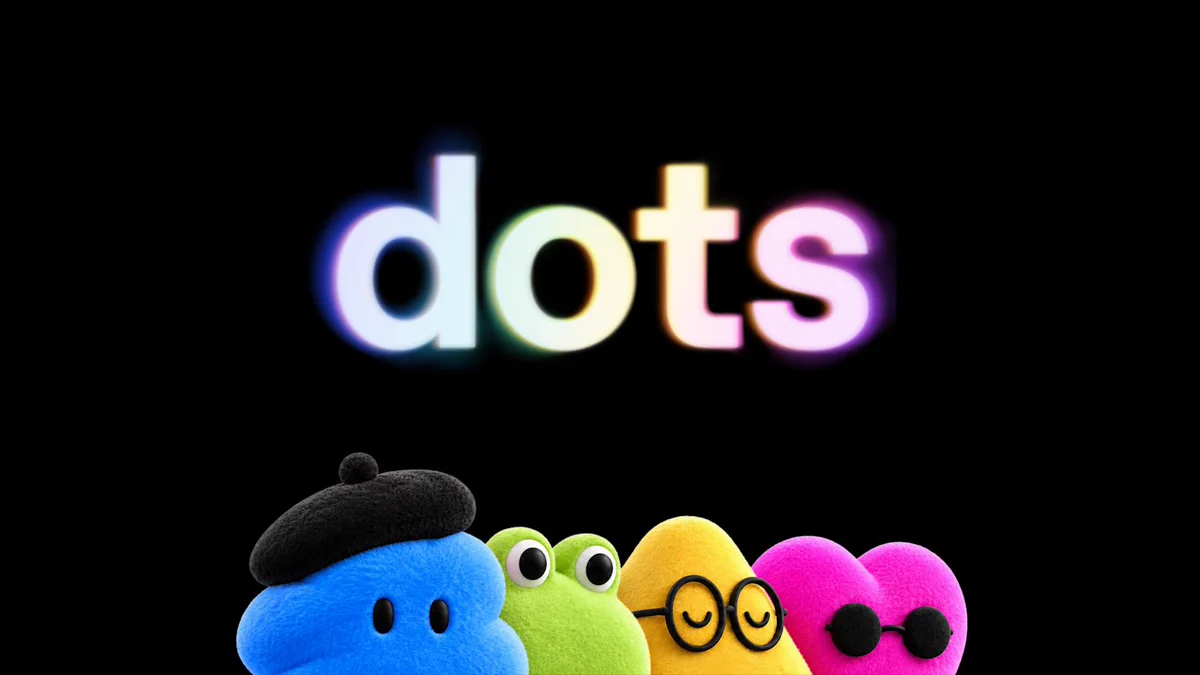
GPT-6.1 Sol and Dots: A Cheaper Engine and an Agent That Keeps Working
OpenAI made two announcements on September 29 that are easy to read as one story. GPT-6.1 Sol is a stronger, cheaper model for complex work. Dots are always-on agents that can keep projects moving between conversations. Together, they show where OpenAI wants AI work to go: capable models underneath, persistent agents on top, and people setting the boundaries.
There is an important distinction. OpenAI says dots are powered by GPT-6 Astra, its frontier model. It has not said that GPT-6.1 Sol is the model running your dot. Sol and dots launched together, but they solve different problems.
GPT-6.1 Sol makes serious agent work less expensive
GPT-6.1 Sol upgrades GPT-6 Sol across coding, professional documents, computer use, and scientific workflows. OpenAI’s central claim is that it approaches GPT-6 Astra on several agentic tasks while costing one-fifth as much for standard input and output tokens.
The reported gains are specific enough to matter, though they are still launch evaluations rather than a guarantee for every workload:
- On DeepSWE 1.1, Sol matches Astra on long-running software engineering tasks at roughly one-fifth the cost per task. It beats GPT-6 Sol’s best score by 6.4 percentage points at a lower reasoning setting.
- On OSWorld 2.0’s offline set, it improves on GPT-6 Sol by seven percentage points at maximum reasoning effort and lands within 2.1 points of Astra, at roughly one-seventh Astra’s cost per task.
- On a set of difficult, previously error-flagged conversations, the share of answers containing a factual error falls from 11.4% to 7.7% at low reasoning effort. OpenAI says this set is deliberately hard and is not representative of typical use.
For developers, the economics may be the largest change. Standard API pricing is $2 per million input tokens, $0.10 per million cached input tokens, and $10 per million output tokens. That cached-input price is half GPT-6 Sol’s. It rewards agent workflows that repeatedly use the same instructions, tools, and project context. The model page lists a 1,050,000-token context window and notes that longer prompts have different pricing.
The practical test is cost per completed task, not cost per token alone. An agent that needs fewer retries, makes fewer mistaken tool calls, or finishes a task at a lower reasoning setting can be cheaper even before the token discount. OpenAI’s benchmark comparisons point in that direction; teams should check the effect on their own tasks before changing defaults.
GPT-6.1 Sol is available in Codex and ChatGPT Work for Plus, Pro, Business, Enterprise, and Edu users, and through the API as gpt-6.1-sol. It is not yet available in Chat. OpenAI also says an Ultrafast option is coming to Codex in the days after launch.
Dots make an agent a continuing collaborator
A normal chat starts when you ask and pauses when the answer arrives. Dots are designed to maintain responsibility for work over time. A dot has its own cloud computer and browser, can use connected apps, and can pursue several projects without making you manage a separate conversation for every step. You can inspect its computer, redirect its work, and give feedback so it learns your preferences.
OpenAI’s examples make the intended use concrete. A developer’s dot can notice patterns in customer feedback, prepare and test small fixes, and bring back pull requests for review. A researcher’s dot can rerun an analysis when new data arrives and update the figures and explanation. One early tester’s dot noticed a missing invoice, prepared it, and sent it after approval.
Dots can be reached in ChatGPT, Slack, and Teams; OpenAI says texting is coming later. They can also hand work into Codex or ChatGPT Work. This is where the two launches meet at the product level: a dot can coordinate ongoing work, while Codex and Work provide places to execute tasks. OpenAI has not specified that those delegated tasks always use Sol.
Autonomy needs visible limits
The difference between a helpful background agent and an unwelcome one is control over what it may see and do. OpenAI describes several boundaries for dots:
- App access is chosen by the user. A dot’s cloud computer is separate from your own computer unless you explicitly connect yours.
- Proactive research is read-only. When a dot looks for useful work in the background, those app tools cannot send messages or change app content.
- Actions have review rules. Built-in rules and user-defined Custom Rules decide what can proceed, what needs approval, and what is blocked. An auto-review system checks actions that may affect accounts or share information.
- Work stays inspectable. Activity View shows progress, and OpenAI says safety monitoring can pause or stop concerning behavior.
These controls matter because persistent access magnifies small mistakes. A model that misunderstands a request once may produce one bad answer; an agent that keeps acting on the misunderstanding can produce a chain of them. OpenAI explicitly advises reviewing consequential work. The useful measure for dots will be how often they bring back correct, reviewable results without taking actions their owners did not intend.
Dots are rolling out, starting with a primary dot for eligible Pro and Business Premium users; Enterprise workspaces, including Edu and Healthcare, can try a beta when an admin enables it. OpenAI says the first dot is included in Pro or Business Premium at no extra cost, with an allowance for deeper work. It is also piloting specialist dots that organizations provision with their own identities and access for defined responsibilities.
What these launches mean together
GPT-6.1 Sol makes capable tool-using work easier to justify economically. Dots change how that work is requested and supervised: instead of reopening a chat and restating the goal, you can give an agent a continuing responsibility and review what it brings back.
The launches also expose two separate questions. Can the model finish the task well enough for the price? Sol’s early results make it a strong candidate for coding, document-heavy work, and computer use. Can the agent stay useful and within its permissions over time? Dots will have to answer that through real-world reliability, clear activity records, and approvals that match the stakes of each action.
My starting point would be a bounded responsibility with an obvious review step: triage feedback and draft fixes, prepare a recurring brief, or keep an analysis current. That is enough to test whether a dot saves attention without handing it vague authority. For developers building their own agents, GPT-6.1 Sol is worth evaluating on the same kind of full task, including retries and review time, rather than on a single prompt.