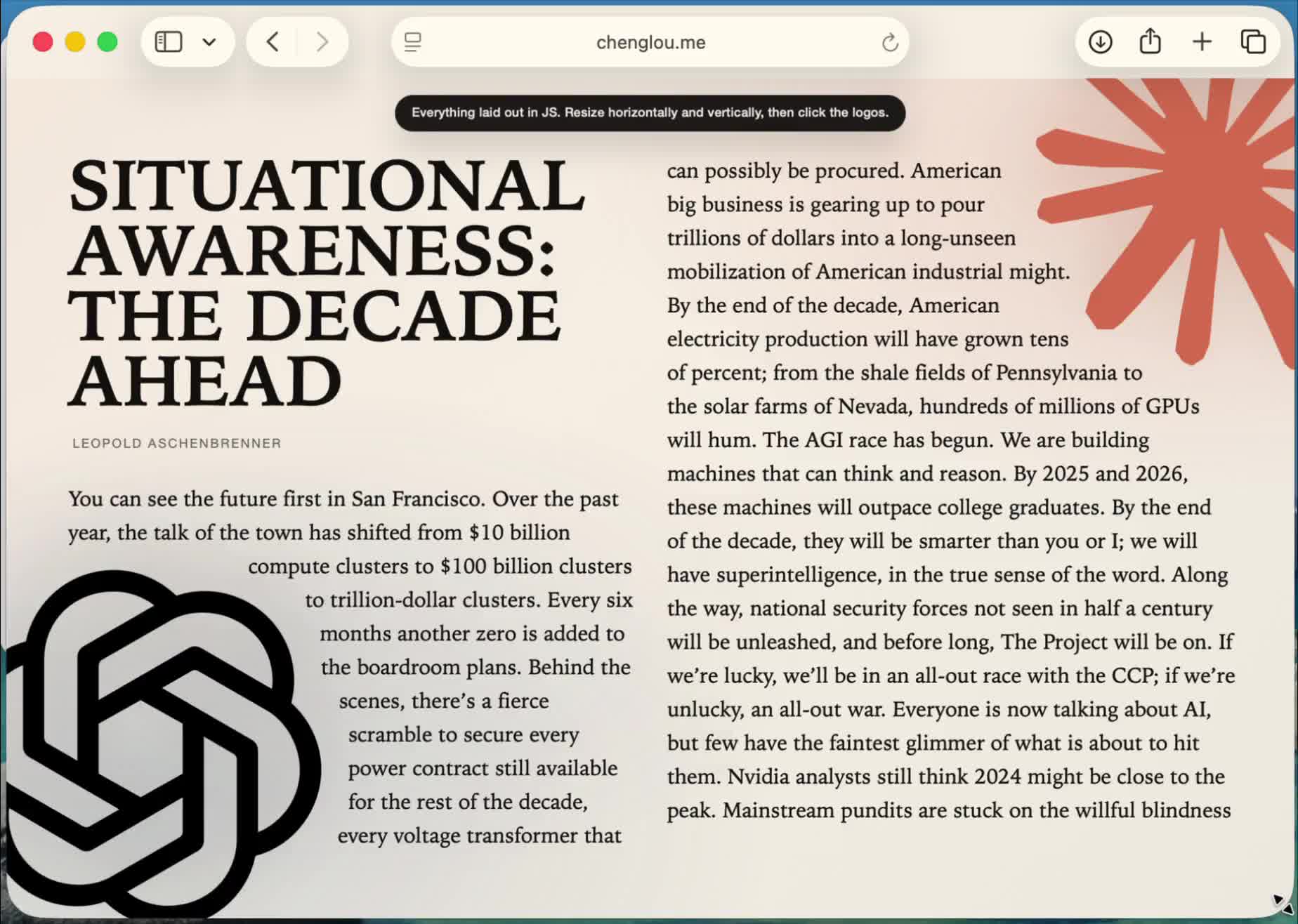
Pretext: Fast Multiline Text Measurement Without Touching the DOM
If you’ve ever built a custom text editor, a canvas renderer, or a virtualized list that needs to know how tall a paragraph will be before rendering it, you know the pain. The standard approach—render invisible text into the DOM, call getBoundingClientRect, read the dimensions, tear it down—is slow, causes layout thrashing, and doesn’t work at all outside a browser environment.
Pretext takes a completely different approach. It’s a pure JavaScript/TypeScript library that measures multiline text and computes layout without touching the DOM. No hidden elements, no reflow triggers, no offsetHeight hacks. Just math.
And it already has 12.9k stars on GitHub.
Who Made This?
Pretext comes from Cheng Lou, a name you might recognize from the React ecosystem. He’s the creator of react-motion (21.7k stars), was a core advocate for ReasonML at Facebook, and worked on Messenger and Midjourney. His conference talks on language design and React’s OCaml origins are legendary in the frontend community.
When Cheng Lou ships a library, it tends to be opinionated, well-researched, and solving a problem most people didn’t realize had a better solution. Pretext fits that pattern exactly.
The Problem: DOM Text Measurement Is a Performance Trap
Here’s what typically happens when you need to know the height of a text block:
- Create a hidden
<div>with matching font, width, and CSS properties - Set its
textContent - Call
getBoundingClientRect()or readoffsetHeight - The browser performs a synchronous layout reflow to compute the answer
- Destroy the element
- Repeat for every text block you need to measure
Each reflow blocks the main thread. If you’re measuring hundreds of items—say, for a virtualized chat feed or a document editor—this becomes a serious bottleneck. It’s one of those problems that’s “fine” in demos and falls apart in production.
Worse, you can’t do this at all in a Web Worker, a server environment, or a Canvas/WebGL renderer. The DOM is the only game in town, and it’s a slow game.
How Pretext Works
Pretext splits text measurement into two phases: prepare and layout.
Phase 1: Prepare (One-Time Analysis)
The prepare() function analyzes your text and font once, measuring individual character and word widths using the Canvas API’s measureText. This is the only part that touches a browser API, and it caches aggressively so repeated calls are nearly free.
import { prepare, layout } from '@chenglou/pretext'

const prepared = prepare('Your text content here', '16px Inter')
For textarea-style content with preserved whitespace:
const prepared = prepare(textareaValue, '16px Inter', { whiteSpace: 'pre-wrap' })Phase 2: Layout (Pure Arithmetic)
Once prepared, the layout() function computes height and line count using pure arithmetic—no DOM, no browser APIs, no reflow. This is where the performance magic happens.
const { height, lineCount } = layout(prepared, maxWidth, lineHeight)You can call layout() thousands of times with different widths (say, during a resize) and it’s essentially free. The benchmarks speak for themselves:
prepare(): ~19ms for 500 texts (the one-time cost)layout(): ~0.09ms for the same 500 texts (over 200x faster)
That’s 0.00018ms per layout call. You could measure 5 million paragraphs per second.
Beyond Height: Full Line-Level Control
Pretext isn’t just a height calculator. The prepareWithSegments() API gives you full control over line-by-line layout, which is essential for custom rendering:
layoutWithLines()— returns all lines with their text content and widthswalkLineRanges()— provides line widths and cursor positions without building strings (zero allocation)layoutNextLine()— an iterator API for variable-width containers, useful for text flowing around floats or irregular shapes
import { prepareWithSegments, layoutWithLines } from '@chenglou/pretext'

const prepared = prepareWithSegments('Long text content...', '16px Inter')
const { height, lineCount, lines } = layoutWithLines(prepared, maxWidth, lineHeight)

for (const line of lines) {
  // line.text, line.width, line.start, line.end
  renderToCanvas(line)
}
This makes Pretext a building block for custom text engines—Canvas-based editors, WebGL UIs, SVG renderers, or anything where you need to know exactly where each line breaks and how wide it is.
Handles the Hard Stuff
Text measurement sounds simple until you remember that text is one of the hardest problems in computing. Pretext handles:
- Bidirectional text (Arabic, Hebrew mixed with Latin)
- Grapheme clusters (emoji sequences, combining characters)
- CJK line breaking rules
- Tab stops and preserved whitespace (
pre-wrapmode) - Word-break and overflow-wrap semantics matching CSS behavior
The library targets white-space: normal and word-break: normal by default—the same defaults as CSS. It breaks at grapheme boundaries for very narrow containers, matching browser behavior.
The one caveat: system-ui font on macOS gives inaccurate results because its metrics are platform-dependent. Use named fonts like Inter, Roboto, or SF Pro instead.
Why This Matters Now
Three trends are converging to make DOM-free text measurement increasingly important:
Custom rendering is mainstream. Tools like Figma, Excalidraw, tldraw, and Linear all use Canvas or WebGL for their UIs. They can’t use DOM measurement even if they wanted to. Libraries like Pretext let them handle text correctly without building their own measurement engine from scratch.
AI is generating more text. Chat interfaces, streaming responses, and dynamic content all need fast, accurate height estimation for smooth scrolling and virtualization. Measuring thousands of messages with DOM reflow doesn’t scale.
Off-main-thread architecture is the future. If your layout logic runs in a Worker or on the server, you need measurement that doesn’t depend on a document. Pretext’s pure-arithmetic layout phase works anywhere JavaScript runs.
The Design Philosophy
Looking at the repo structure—RESEARCH.md, STATUS.md, accuracy/, benchmarks/, corpora/—you can tell this isn’t a weekend project. The accuracy testing suite runs against Chrome, Safari, and Firefox to ensure pixel-perfect results. The benchmarks directory tracks performance across browsers. There’s even a thoughts.md for design reasoning.
The architecture was influenced by Sebastian Markbage’s earlier text-layout work, incorporating canvas measurement, bidirectional text handling, and streaming line breaking. Cheng Lou built on that foundation and turned it into a production-ready, well-documented library.
The API design reflects a clear philosophy: do the expensive work once, then make everything else cheap. The prepare/layout split means you pay for measurement once and get arbitrarily many layout computations essentially for free.
Getting Started
npm install @chenglou/pretextClone the repo and run bun install && bun start to explore the demos at /demos. Live demos are available at chenglou.me/pretext.
The library is MIT licensed, TypeScript-native, and has zero dependencies.
The Bottom Line
Pretext solves a problem that most frontend developers have worked around rather than actually solved. If you’ve ever hacked together invisible DOM elements to measure text height, or if you’re building anything that renders text outside the DOM, this library is worth your attention.
It’s fast, it’s correct across languages and scripts, and it makes text measurement feel like what it should have been all along: a pure function from text to dimensions.
Check it out on GitHub.